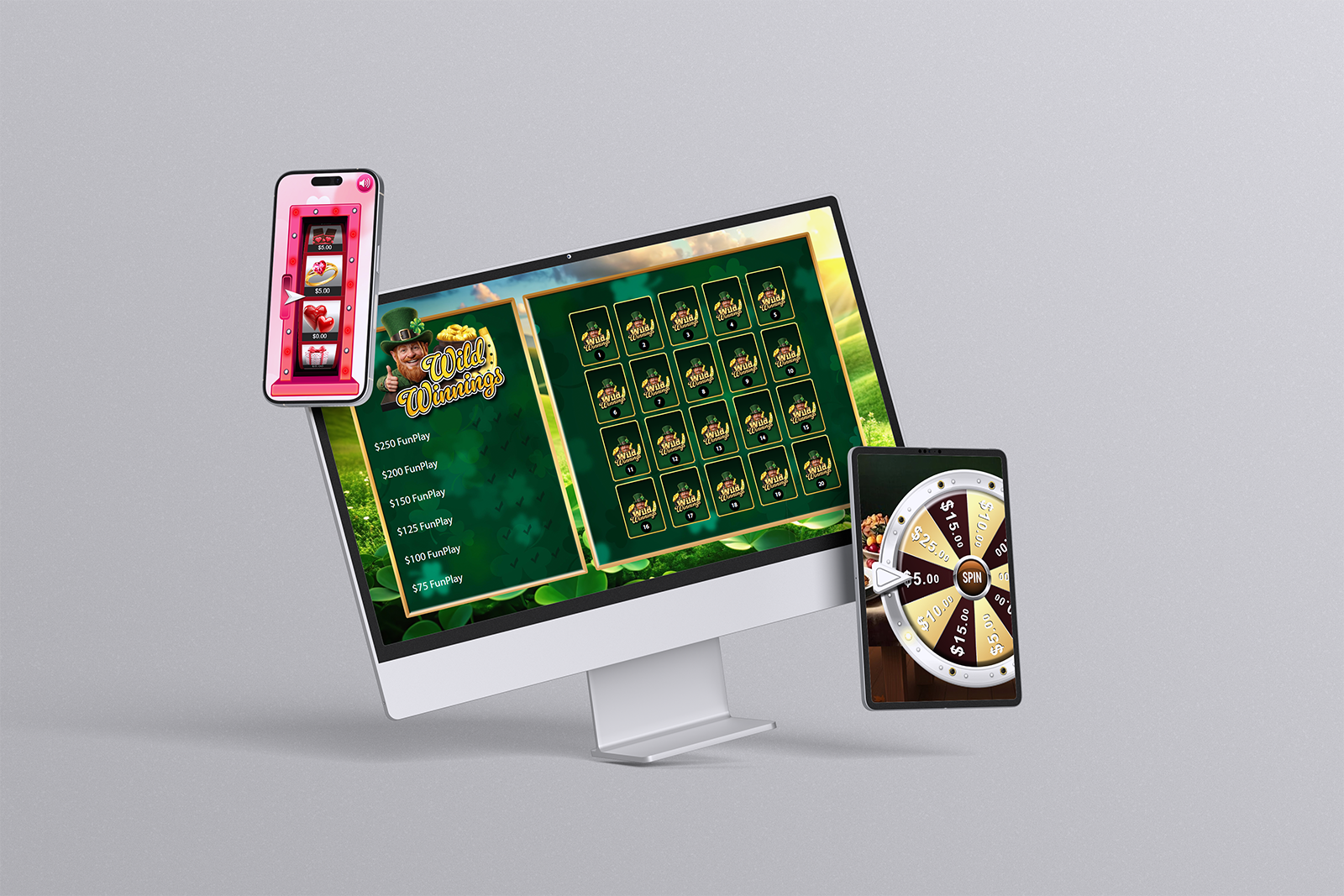
We're thrilled to introduce Campaigns — a brand new expansion to Promo on Demand that transforms how your customers engage with your brand. For the first time, players can access games directly on their own devices without requiring an employee to initiate gameplay. Whether it's a QR code on a table tent, a link in an email, or a code displayed on a jumbotron, Campaigns give you unprecedented control over when, where, and how your customers play.
This guide explains what Campaigns are, how to create them, and the many ways you can deploy them to drive engagement, increase foot traffic, and reward loyalty across your venue, dealership, fair, or event.
What makes Campaigns different: Unlike traditional floor promotions where an employee activates a game for a player, Campaigns are entirely player-initiated. Your customers scan a QR code, click a link, or visit a custom URL — and they're immediately in the game. No registration required (if you pre-populate their data). No employee involvement. Pure self-service engagement.
What Are Campaigns?
A Campaign is a time-bound promotional experience that gives customers access to one or more Promo on Demand games on their personal devices. You control every aspect:
- Start and end dates — Decide exactly when players can participate
- Reward structure — Set odds, prize frequency, and reward types
- Game selection — Choose from single-game or multi-game experiences
- Customer eligibility — Use optional data pre-population to target specific players
- Play frequency — Allow daily, weekly, or monthly participation
- Campaign messaging — Create custom "Coming Soon" and "Ended" pages that match your brand
Campaigns shift control to you. You determine the experience. Your customers simply play.
How Customers Access Your Campaign
There are multiple ways to direct players to your campaign, each suited to different scenarios and venues.
QR Code: The Universal Entry Point
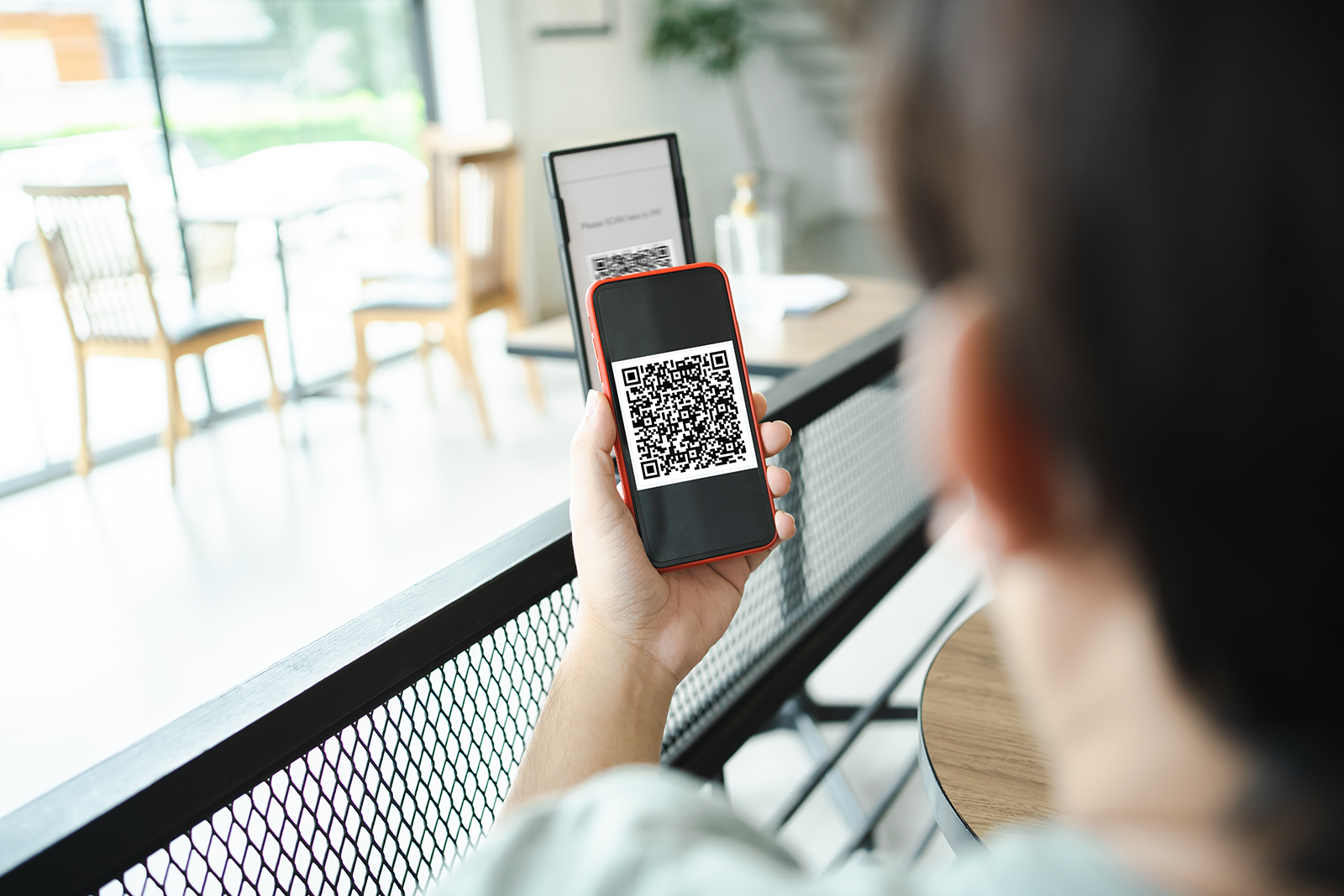
Each Campaign automatically generates a unique QR code that links directly to the campaign experience. This code can be printed anywhere:
- Table tents: Place in restaurants, casinos, or hospitality venues for diners to scan during their visit
- Receipts: Print on transaction receipts to encourage repeat visits
- Advertisements: Include in local ads, direct mail, or email campaigns
- Digital signage: Display on in-venue screens or outdoor billboards
- Event promotion: Show on jumbotrons during live events — spectators can play in real-time from the stands
Custom Campaign URL
Every Campaign receives a unique, branded URL that customers can visit directly. You can share this URL via:
- Email newsletters
- Text messages
- Social media posts
- Your website or mobile app
The URL is memorable, shareable, and easy to type — making it perfect for verbal promotion or word-of-mouth marketing.
Email with Pre-Populated Customer Data
Want an even smoother experience? Include customer data in the Campaign URL — and we'll skip the registration form entirely. When players click your email link, they go straight into the game with their account already set up.
This approach works beautifully for:
- VIP loyalty programs — Send personalized emails to top-tier customers with campaign URLs that recognize them instantly
- Post-purchase rewards — Send a link after a customer buys something, pre-populated with their transaction ID or account information
- Employee recognition — Reward staff with pre-populated campaign URLs for a "thank you" promotion
Customer matching: Our system matches several data fields to identify the customer correctly — whether it's email, phone number, loyalty ID, or custom identifiers. You decide what data points are required to identify a player and deliver the correct reward.
Creating Your Campaign in Minutes
The Campaign admin tool is designed for speed and simplicity. Most campaigns are created in approximately 10 minutes, including reward configuration.
Step-by-Step Campaign Setup
The Campaign Wizard guides you through four straightforward steps:
- Campaign Details: Name your campaign, set start/end dates
- Game Selection: Add one or more games, set play frequency (daily, weekly, monthly), and configure play modes
- Rewards & Odds: Define your reward structure — odds-based or one-to-one customer mapping
- Campaign Messaging: Design custom "Coming Soon" and "Ended" pages, or use pre-made templates as a starting point
That's it. Once saved, your campaign is ready to go live on its start date.
Campaign Types
Campaigns support different game configurations to match your promotional goals.
Single-Game Campaign
A campaign featuring one game with configurable prizes and play modes. Perfect for:
- Weekly specials ("Play our Wheel of Fortune every Monday in May")
- New game launches
- One-off promotions tied to specific events
Multi-Game Campaign
A campaign with multiple games, each with independent prizes and play modes. Games are scheduled sequentially — one after another with no gaps or overlaps. Ideal for:
- Tournament-style progressions (play Game 1 on Monday, Game 2 on Tuesday, Game 3 on Wednesday)
- Extended promotions where you want to keep customers engaged with variety
- Tiered challenges where each game unlocks additional rewards
Coming Soon: New Campaign Types
We're constantly expanding Campaign capabilities. Here's what's on the horizon:
Football Picks
During the NFL regular season, allow customers to make their pro football picks each week. The system automatically scores picks against official results and maintains a leaderboard showing the highest scores. Features include:
- Automatic scoring — We handle the grading; you control the rewards
- Leaderboard rankings — Reward top performers with cash, free play, or entries
- Optional activation requirement — Customers must visit your location each week to activate their picks
- Optional prop cards — Players can earn additional prediction opportunities
Prop Card
Let customers fill out multi-question prediction cards, typically about a particular sports game or event. Cards are scored after the event concludes. Features include:
- Custom question sets — Create prop cards tailored to any sporting event
- Leaderboard scoring — Customers earn points for correct answers; leaderboards show both highest score and fastest time
- Optional activation — Require customers to be present or take an action to activate their card
- Optional additional cards — Let top performers earn bonus prediction opportunities
More campaign types are coming. Contact our team to discuss custom campaign needs for your venue.
Reward Strategies: Odds-Based vs. One-to-One
You have complete flexibility in how you deliver rewards.
Odds-Based Play
Set the odds and frequency with which rewards hit. Load a reward pool and specify the probability each reward is awarded. Perfect for:
- Controlling reward expense — You set the odds; costs are predictable
- Mass-market campaigns — Equal probability for all players
- Excitement-building — Vary reward frequency to keep engagement high
One-to-One Customer Mapping
A powerful new concept: upload a reward matrix that maps specific customer information to exact prizes. This allows you to:
- Target customer segments — Different customers receive different rewards based on their profile
- Personalize experiences — A VIP gets $50 free play; a standard customer gets $10; a new player gets a free appetizer
- Guarantee specific outcomes — "Customer ID 12345 always wins the premium prize"
- Use transaction data — Award different prizes based on purchase history, loyalty status, or other attributes
Our customer matching system validates multiple fields (email, phone, loyalty ID, etc.) to ensure each player receives the correct reward.
Creative Deployment Ideas
Here are some proven ways venues and businesses are using Campaigns to drive engagement and traffic:
Restaurant & Casino Table Tents
Print QR codes on table tents. Diners at their table can immediately scan and play. Rewards incentivize return visits or upgrade purchases.
Post-Purchase Thank You
Include a pre-populated campaign link in receipts or follow-up emails after a customer makes a purchase. They play to see what extra rewards they won. Perfect for auto dealerships, retail stores, or restaurants.
Fair & Event Acquisition
Use Campaigns as a new customer acquisition tool at fairs, festivals, or seasonal events. Show the QR code on signage — newcomers scan and play without friction. Follow-up emails drive them to your brick-and-mortar location.
Shopping Mall District Promotions
Promote participating retail stores by running a campaign where each game awards discounts or free items from different merchants. Incentivizes mall traffic and drives customers to partner stores.
VIP & Loyalty Recognition
Send personalized campaign links to your best customers as a "thank you" for their loyalty. Use one-to-one mapping to guarantee premium rewards — $100 free play, exclusive experiences, or priority reservations.
Employee Recognition
Run internal campaigns to thank staff for excellent service or hitting performance targets. Let employees compete for prizes or earn bonus rewards.
Jumbotron & Live Events
Display the campaign QR code on a jumbotron during a live sporting event, concert, or broadcast. Spectators in the crowd can scan from their phones and play in real-time — turning passive spectators into active participants. Rewards can drive them to your venue's snack bar or merchandise stand.
Digital Signage & Outdoor Advertising
Integrate campaign QR codes into your digital menu boards, storefronts, or outdoor billboards. Passersby can immediately engage without visiting your physical location — though rewards can incentivize them to do so.
Campaign Management & Control
Once a campaign is live, you maintain full control:
Player Frequency Control
Set whether players can participate daily, weekly, or monthly. Your admin dashboard shows participation rates in real-time so you can monitor engagement.
Reward Expense Control
With odds-based rewards, you set the frequency and value. With drawing entries, players accumulate entries toward a monthly drawing rather than receiving individual prizes — controlling costs while maintaining excitement.
Early Shutdown
If a campaign isn't performing as expected, or if you've met your engagement goal, you can shut it down immediately from the admin tool. No campaign runs past its scheduled end date unless you want it to.
Campaign Customization
Your "Coming Soon" and "Ended" pages can be fully customized to match your brand. We provide pre-made templates to give you ideas, but you can customize every element — colors, messaging, calls to action — to create a cohesive brand experience.
Driving Repeat Visits
The true power of Campaigns is that rewards bring customers back to your physical location. Instead of generic discounts, P.O.D. Campaigns give you tools to:
- Use activation requirements: A player must come into your location to "activate" their picks or prop cards
- Create drawing entries: Rather than individual prizes, players earn entries toward a big monthly drawing — building anticipation and encouraging repeat visits
- Build loyalty tiers: Use one-to-one mapping to reward frequent visitors with premium experiences
Getting Started With Campaigns
Ready to launch your first campaign? Here's what to do:
- Log into your Promo on Demand admin dashboard
- Navigate to Campaigns
- Click Create New Campaign
- Follow the 4-step wizard (approximately 10 minutes)
- Save and let it go live on your chosen start date
Questions about your campaign strategy? Our team is here to help. Contact us to discuss ideas tailored to your venue or business.