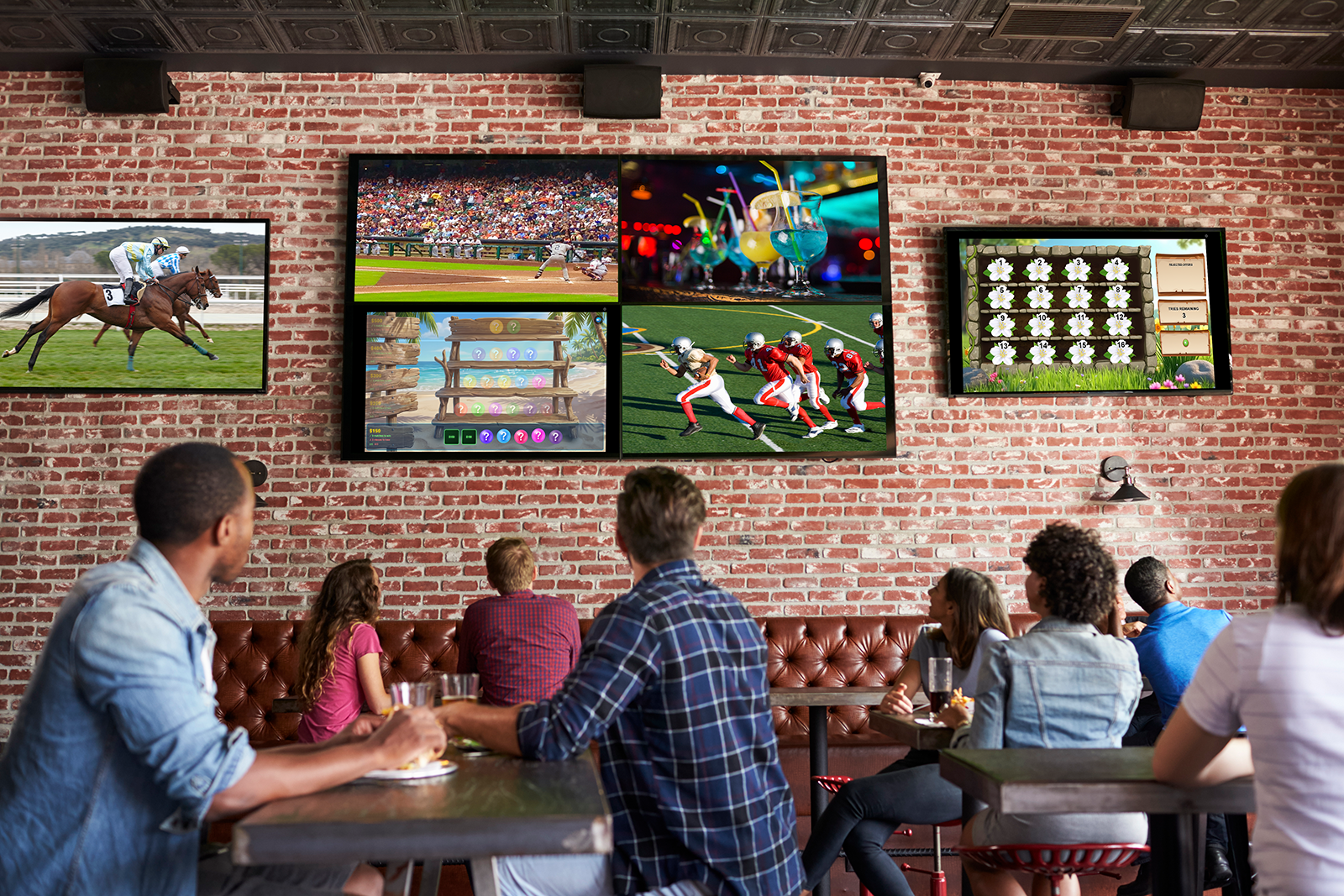
Modern venues of all kinds — sports bars, casinos, shopping malls, cruise ships, auto dealerships, and more — have invested in sophisticated display networks to enhance guest experiences, promote products, and communicate important information across multiple screens in real-time. These systems, built on AV over IP (Audio-Visual over Internet Protocol) technology, represent a significant infrastructure investment and unlock tremendous flexibility in content distribution.
If your venue already has a Video Over IP system in place, Promo on Demand integrates seamlessly into your existing network architecture. If you're considering building one, this guide explains how the technology works and how P.O.D. can become a cornerstone of your content strategy. Either way, P.O.D. makes your existing video infrastructure work harder — transforming passive display networks into active engagement platforms.
Key insight: Video Over IP systems let you broadcast a single game session from one source device to dozens (or hundreds) of displays across your venue simultaneously. This is fundamentally different from casting to a single TV — it's enterprise-scale content distribution.
What Is Video Over IP?
Video Over IP (often called AV over IP or IP video distribution) is a technology that transmits high-definition video and audio signals over your venue's Ethernet network infrastructure — rather than using dedicated video cables running from a central equipment rack to each display.
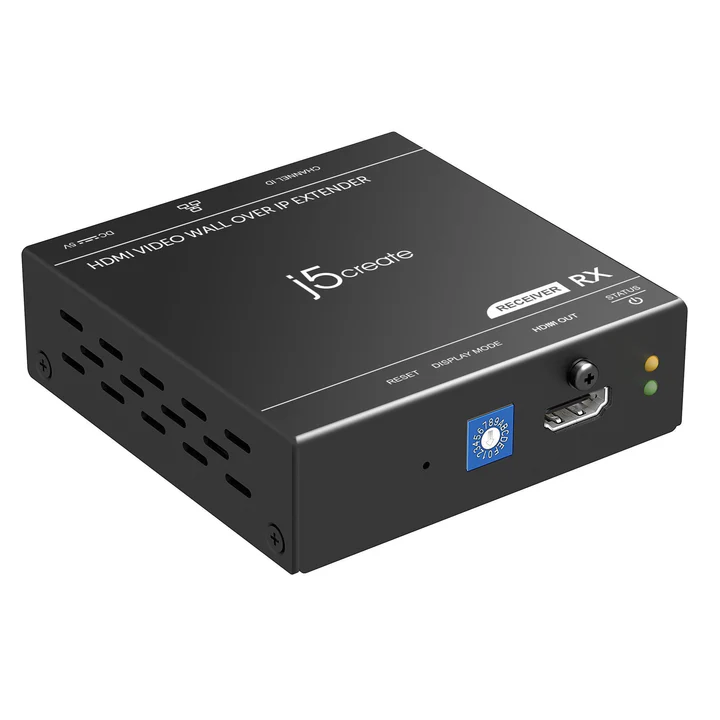
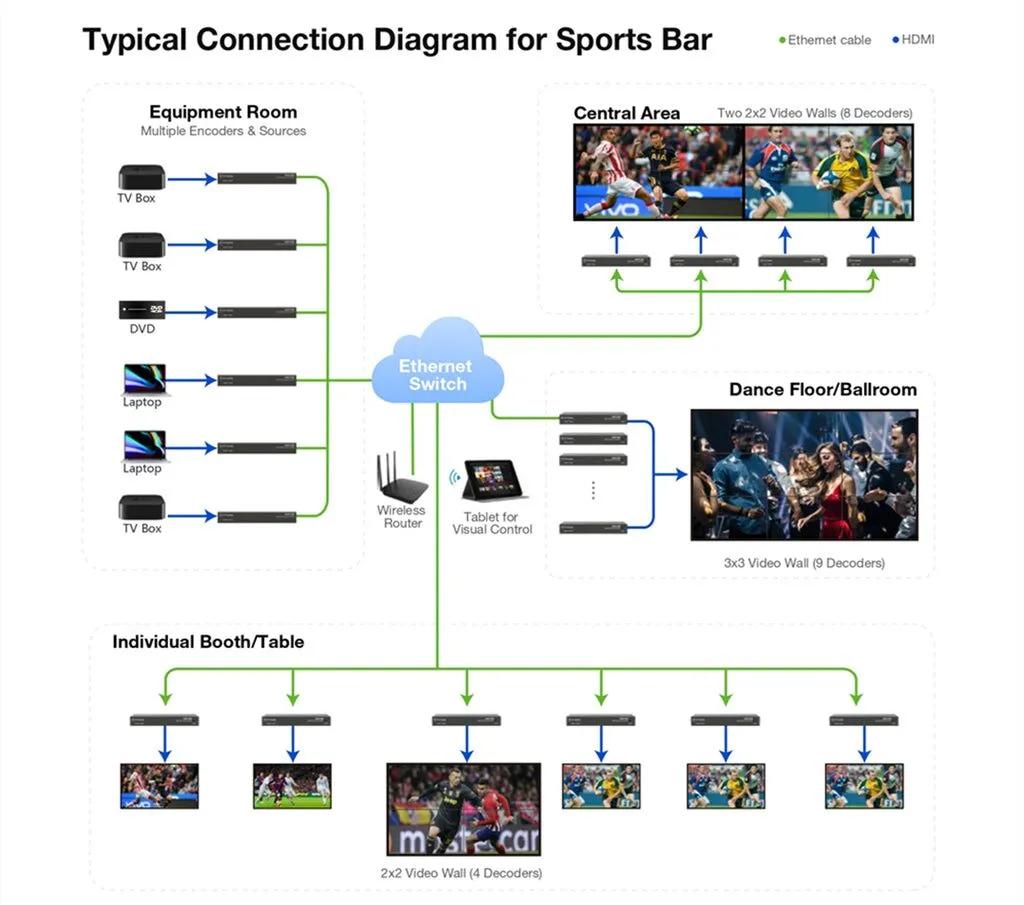
Think of it like this: Traditional AV systems use physical HDMI cables to connect a source device directly to each display. With Video Over IP, you have a network encoder (transmitter) that takes a video signal and converts it into network packets. These packets travel through your standard Gigabit Ethernet switches and are decoded back into video and audio by network decoders (receivers) connected to each TV or display.
The result is profound flexibility:
- Any source to any display. Route video from a media player, content server, or corporate broadcast system to any TV on your network with a few clicks.
- Centralized control. Manage all displays from a single management interface — no visiting each TV individually to change inputs.
- Scalability. Add new displays without running new cables. Just connect them to your network.
- Matrix switching. Display different content on different screens simultaneously. One TV shows promotions, another shows sports, another shows digital signage — all from the same source infrastructure.
- Reduced installation costs. Your existing network cables and switches do the work of dedicated video distribution systems.
Common Video Over IP System Architectures
Video Over IP systems come in several configurations, depending on your venue size and complexity:
1. Simple Point-to-Multipoint Distribution
A media server or broadcast source sends the same video stream to multiple displays at once. This is ideal for:
- Casino floors broadcasting promotions to all gaming area displays
- Retail environments pushing synchronized digital signage to entrance, corridor, and window displays
- Cruise ship dining halls showing entertainment schedules and ship information
- Auto dealership showrooms displaying vehicle inventory and pricing across multiple monitor walls
2. Matrix Switching Systems
HDMI matrix switches connected over IP allow independent routing of multiple sources to multiple displays. For example:
- Sports bar: Four TVs in the back-of-house management area each displaying a different content source (corporate feeds, social media, security cameras, P.O.D. promotions)
- Shopping mall: Central controller directs different promotional videos to different zones — electronics section, fashion section, food court — all independently managed
- Casino: High-limit room displays premium promotions; table game areas display player-focused micro-games; sports book displays live feeds and betting lines
3. Enterprise Broadcast Networks
Large venues (cruise ships, mega-casinos) use dedicated video servers and network management systems to broadcast diverse content streams to hundreds of displays organized by zone. These systems often include:
- Redundancy and failover for 24/7 uptime
- QoS (Quality of Service) settings to prioritize video traffic on the network
- Scheduled playback with time-based content rotation
- Real-time ad insertion and dynamic content switching
Industries and Venues That Benefit From Video Over IP
Video Over IP infrastructure has become standard in venues that need reliable, scalable, multi-display environments:
Casinos & Gaming Venues
Casinos maintain dozens or hundreds of displays across gaming floors, sports books, restaurants, and back-of-house areas. Video Over IP allows centralized control of all displays from the marketing or operations hub. Promo on Demand games can be broadcast to specific zones (high-limit rooms, table game areas, slot machine carousels) on a schedule or on-demand.
Sports Bars & Restaurants
Sports bars typically have 15–50+ displays distributed throughout the venue. Video Over IP systems allow the bar manager to control which content plays where — live sports feeds on the main wall, P.O.D. trivia games on bar-top screens, digital menu boards in the kitchen, and promotional content during slow hours.
Shopping Malls & Retail Environments
Modern shopping malls use Video Over IP for synchronized digital signage across entry vestibules, common areas, and individual retail tenant storefronts. Promo on Demand can be scheduled to run during peak shopping hours, drawing foot traffic to promotional areas and increasing dwell time in the mall.
Cruise Ships & Hospitality Venues
Cruise ships have centralized video infrastructure to reach passengers across dining venues, theaters, lounges, and cabin areas. P.O.D. games integrate into the ship's entertainment rotation, offering guests interactive engagement opportunities throughout their journey.
Auto Dealerships
Dealership showrooms use Video Over IP to display inventory, promotional pricing, financing information, and entertaining content on digital displays throughout the lot and indoor sales floor. P.O.D. can be used to engage waiting customers or run dealership-specific promotional contests and games.
Not sure if your venue has Video Over IP? If your displays are connected to Ethernet rather than run with dedicated HDMI or video cables, or if your IT team manages a centralized video control system, you likely already have Video Over IP infrastructure in place.
How Promo on Demand Integrates With Video Over IP
Integrating Promo on Demand into your existing Video Over IP infrastructure is straightforward and requires minimal technical overhead. Here are the most common approaches:
Method 1: Dedicated P.O.D. Source Device
A staff laptop or media player runs P.O.D. and connects its output (via HDMI or DisplayPort) to a Video Over IP encoder. The encoder transmits the P.O.D. game feed across your network to any display you want to show it on. This is the most flexible approach — staff can start and stop promotions from the laptop, change games, adjust settings, and broadcast to multiple displays simultaneously.
Method 2: Network-Attached Content Server
If your venue has a dedicated video content server that feeds your Video Over IP system, P.O.D. can be added as a scheduled content source. Your IT team configures P.O.D. to broadcast on specific network ports at specific times. The P.O.D. stream is routed through your Video Over IP matrix to displays in promotional zones.
Method 3: Hybrid Approach (Recommended)
Most venues use a combination: a dedicated P.O.D. source device (tablet, laptop, or media player) that connects to the Video Over IP encoder during promotion times, while the Video Over IP system continues to broadcast other content (corporate messaging, sports feeds, digital signage) to other displays. This gives you maximum flexibility — P.O.D. promotions can be scheduled around your other content, or interrupted for urgent broadcasts.
Setup and Implementation Considerations
To successfully integrate Promo on Demand with your Video Over IP system, consider the following:
Network Bandwidth
Video Over IP requires sufficient bandwidth on your Ethernet infrastructure. P.O.D. games typically require 5–10 Mbps per stream. If you're broadcasting to 10 displays simultaneously, budget 50–100 Mbps of available bandwidth. Modern Gigabit Ethernet switches easily handle this, but discuss it with your IT department to ensure your network is not over-subscribed during peak usage times.
Hardware Compatibility
Your Video Over IP system must support the encoding and decoding standards you plan to use. Common standards include:
- HDMI over IP: Transmits uncompressed HDMI signals over Ethernet. Requires managed Gigabit switches and IGMP snooping support.
- H.264 / H.265 Compressed Video: Compresses video to reduce bandwidth. Allows long-distance transmission but introduces slight latency (typically imperceptible for promotional content).
- Proprietary Matrix Protocols: Some vendors use custom protocols optimized for their hardware. Verify P.O.D. compatibility with your existing system.
Latency and Synchronization
Most Video Over IP systems introduce minimal latency (under 100ms) — imperceptible to viewers watching promotional games. However, if you're synchronizing P.O.D. with audio, live events, or other displays, work with your IT team to test synchronization before going live.
Network Redundancy
If your venue's Video Over IP system includes redundant Ethernet paths or failover mechanisms, ensure P.O.D. source devices connect through those same redundant paths. Your IT team can help you configure this.
Content Management and Scheduling
Determine whether you want:
- Manual promotion switching: Staff manually start/stop P.O.D. promotions on demand during business hours
- Scheduled playback: P.O.D. runs automatically at specific times (e.g., 2–4 PM weekday happy hours, 8–10 PM weekend nights)
- Dynamic switching: P.O.D. alternates with other content on a rotation (e.g., 10 minutes of P.O.D., 20 minutes of sports, repeat)
Do You Already Have Video Over IP?
If any of these descriptions match your venue, you likely already have Video Over IP infrastructure installed:
- Your displays are connected to Ethernet cables (CAT5e, CAT6, or fiber optic) rather than HDMI cables running from a central equipment room
- Your IT team manages a centralized control system for content distribution across your venue
- You have an HDMI matrix switcher that controls content routing to multiple displays
- Your displays are organized in "zones" that can be independently controlled from a central interface
- You have a dedicated video server or broadcast system that your IT department maintains
Getting started: Contact your IT department or the AV integrator who installed your display system. They can confirm your exact setup, identify which Video Over IP encoder and decoder models you use, and help you plan the P.O.D. integration. Bring a copy of this article — they'll appreciate the context.
If You Don't Have Video Over IP Yet
If your venue is currently running displays with traditional point-to-point HDMI or analog video cables, Video Over IP represents a significant upgrade opportunity. While there is an upfront equipment investment (encoders, decoders, Ethernet infrastructure), the long-term flexibility and scalability pay dividends:
- Reduced maintenance: Fewer cables to run and troubleshoot
- Easier expansion: Add new displays without routing new cables
- Better content control: Centralized switching and routing instead of managing individual TV remotes
- Future-proofing: Your infrastructure supports whatever content innovations emerge
This is a conversation for your IT department or AV integrator. Share this article with them, and start a dialogue about how Video Over IP could improve your venue's content capabilities — with Promo on Demand as an immediate, high-ROI content application.
Technical Support & Implementation
Integrating P.O.D. into your Video Over IP system is a technical project that should involve your IT department or AV systems integrator. Here's why:
- Network configuration: Ensuring proper bandwidth allocation, QoS settings, and failover paths requires IT oversight
- Equipment compatibility: Verifying that P.O.D. source devices, encoders, and decoders all work together seamlessly
- Security and access control: Determining who can manage P.O.D. streams and integrating with your existing authentication systems
- Testing and rollout: Running dry runs and managing the transition to live broadcasts
Your IT team has the expertise to configure your specific Video Over IP system for P.O.D. integration. They'll ensure that P.O.D. broadcasts don't interfere with other critical content, maintain network performance, and comply with your venue's security and operational policies.
Next step: Schedule a meeting with your IT director or AV integrator. Show them this article and discuss your vision for using Promo on Demand across your display network. They'll provide specific technical guidance and help you plan the implementation timeline. For questions specific to P.O.D., our team is always available to discuss integration details with your IT staff.
Summary: Video Over IP + Promo on Demand
Video Over IP has become the backbone of professional display networks across casinos, sports bars, shopping malls, cruise ships, auto dealerships, and countless other venues. It offers unmatched flexibility in content distribution, scalability as your venue grows, and centralized control from a single interface.
Promo on Demand fits naturally into this ecosystem. Whether your venue has an existing Video Over IP system or is planning to build one, P.O.D. becomes a powerful tool for guest engagement, revenue generation, and operational flexibility. Your existing infrastructure isn't just a cost center — it's a platform for innovation.
Work with your IT department to design the integration that fits your venue's needs, traffic patterns, and content strategy. The result will be a display network that doesn't just passively show content — it actively engages your guests and drives business results.